GPF Nomination Form - Summary
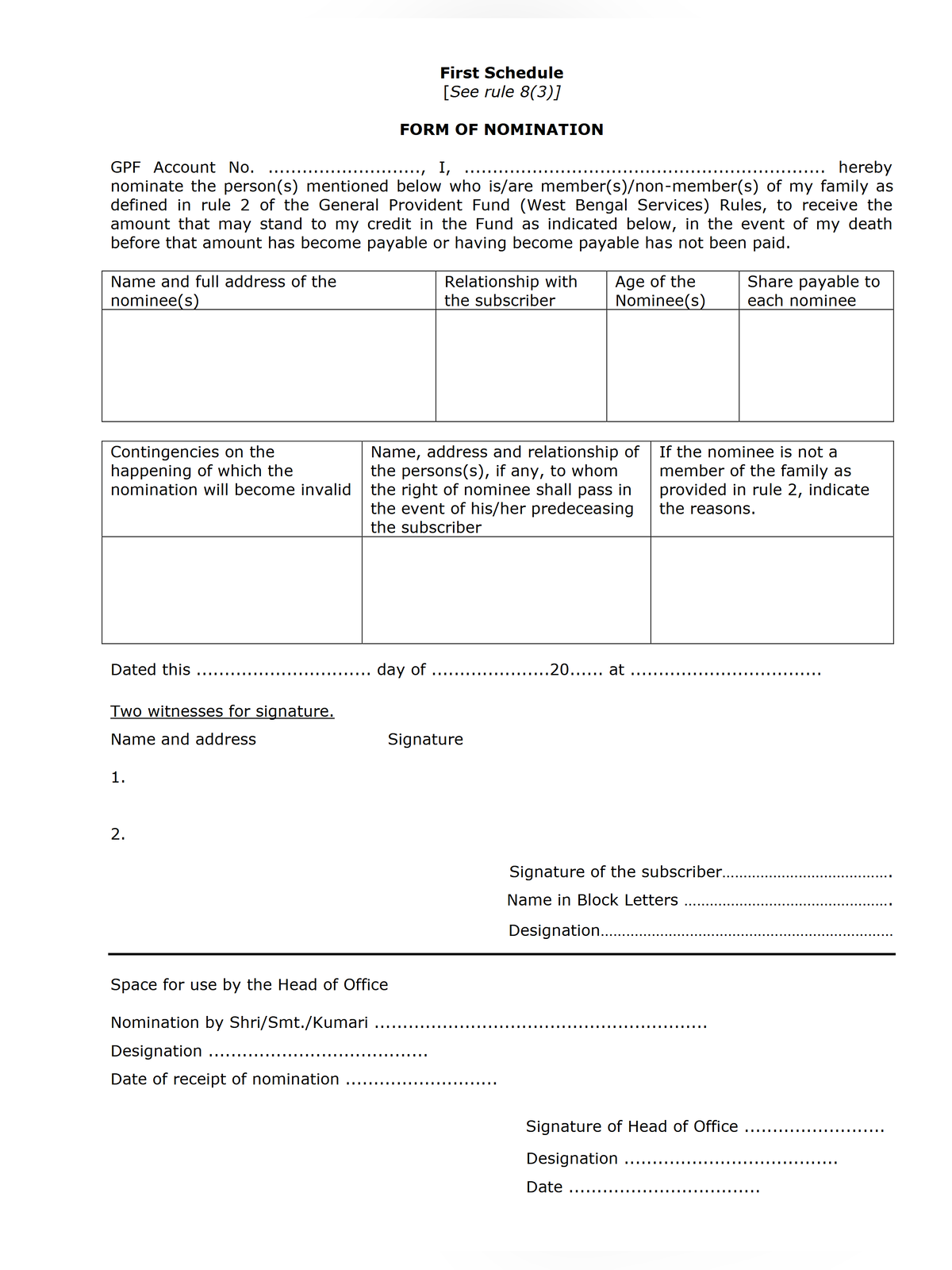
GPF nomination form is the official Common Nomination Form (Form 3) issued by Department of Pension and Pensioners’ Welfare, Government of India, for General Provident Fund subscribers. Central government employees use this form (replacing earlier Form 1) to name beneficiaries for GPF balance, gratuity, and CGEGIS 1980.
This 2-page English PDF has the subscriber declaration and an 8-column nominee table on page 1, followed by Head of Office verification and Service Book entry on page 2. Fresh copies are listed under Nomination Forms on pensionersportal.gov.in. Related formats include GPF Withdrawal Form and Kerala GPF Nomination Form.
GPF Nomination Form Rules and Benefits Summary
| Rule or benefit | Details |
|---|---|
| Governing rules | Rule 5, General Provident Fund (Central Services) Rules, 1960; Rule 46, CCS (Pension) Rules, 2021; and Para 19.7, CGEGIS, 1980 |
| Family nomination rule | Subscribers with a family (spouse, parents, children, minor brothers, unmarried sisters, or deceased son’s widow and children under Rule 2(1)(c)) must nominate family members; others can nominate anyone |
| Share division rule | Multiple nominees and alternate nominees are allowed, and shares must total 100% |
| Minor and contingency rule | An adult recipient must be named for any minor nominee, and invalidating events such as marriage can be recorded |
| Revision and effect | Nomination can be cancelled or replaced anytime by written notice, effective on receipt by Accounts Officer |
| Direct payout benefit | Accounts Officer pays the GPF balance straight to valid nominees in fixed shares on death, avoiding succession certificate delays |
| Insurance benefit | Eligible nominees receive extra Deposit-Linked Insurance under Rule 33-B based on 3-year average balance (minimum 5 years service and prescribed balance) |
| GPF interest rate | 7.1% yearly for October to December 2026 (Q3 FY 2026-27) |
How to Fill and Submit GPF Nomination Form
STEP 1 – Print Form 3 on A4 paper and write your full name on the declaration line.
STEP 2 – Strike out gratuity or CGEGIS items if nominating only for GPF, or use separate forms for different beneficiaries.
STEP 3 – Fill nominee name, birth date, address, relationship, share, and minor or alternate nominee details.
STEP 4 – Draw a line across blank rows below the last entry, add place, date, mobile number, and signature.
STEP 5 – Submit the form to Head of Office or authorised Gazetted Officer for Service Book entry and collect a signed copy.