PM Awas MIS Report (Urban & Gramin) - Summary
PM Awas MIS Report provides important information about houses, beneficiaries, applications, and the progress of housing projects under the scheme. The MIS report helps government departments and other users check and track scheme-related data in an organized way. It can also be useful for checking the status and progress of housing-related work under PM Awas Yojana.
What is PM Awas MIS Report?
MIS stands for Management Information System. Under PMAY, the MIS is a digital system through which housing-related information is recorded, updated and monitored. In the urban PMAY system, the MIS contains information relating to areas such as:
- Beneficiary details
- Housing projects
- Approved projects
- Construction progress
- Financial progress
- Fund utilisation
- Beneficiary payments
- Aadhaar-related validation
- Geo-tagging and project monitoring
The Ministry of Housing and Urban Affairs describes PMAY-U MIS as an important tool for monitoring the progress of the mission. States, Urban Local Bodies (ULBs) and other implementing agencies use the system to enter and manage relevant data.
Also See – PM Awas Yojana Gramin List 2026 – Check Your Name Online, Beneficiary List
PMAY MIS Report – Overview
| Report/Information | What It Shows |
|---|---|
| Beneficiary Details | Information related to beneficiaries |
| House Status | Sanctioned, grounded and completed houses |
| Project Status | Progress of housing projects |
| Physical Progress | Construction-related progress |
| Financial Progress | Funds and assistance released |
| State-wise Report | Progress by State/UT |
| City/ULB Report | Urban local body and city-level information |
| Central Assistance | Central funds approved/released |
| Occupancy/Completion | Status of completed and occupied houses |
| Demand Survey | Housing demand and applicant information |
How to Download PMAY MIS Report Uraban 2026 from Official Website
STEP 1: Visit the official PMAY-U website pmay-urban.gov.in
STEP 2: Click on “Bhuvan HFA” on the homepage as shown in below image.

STEP 3:- After that a new link is open in which you have to select the “State”,”District”,”City”,”Project”,”Beneficiary” and “Construction state” then click on Loan the Report as shown in below.
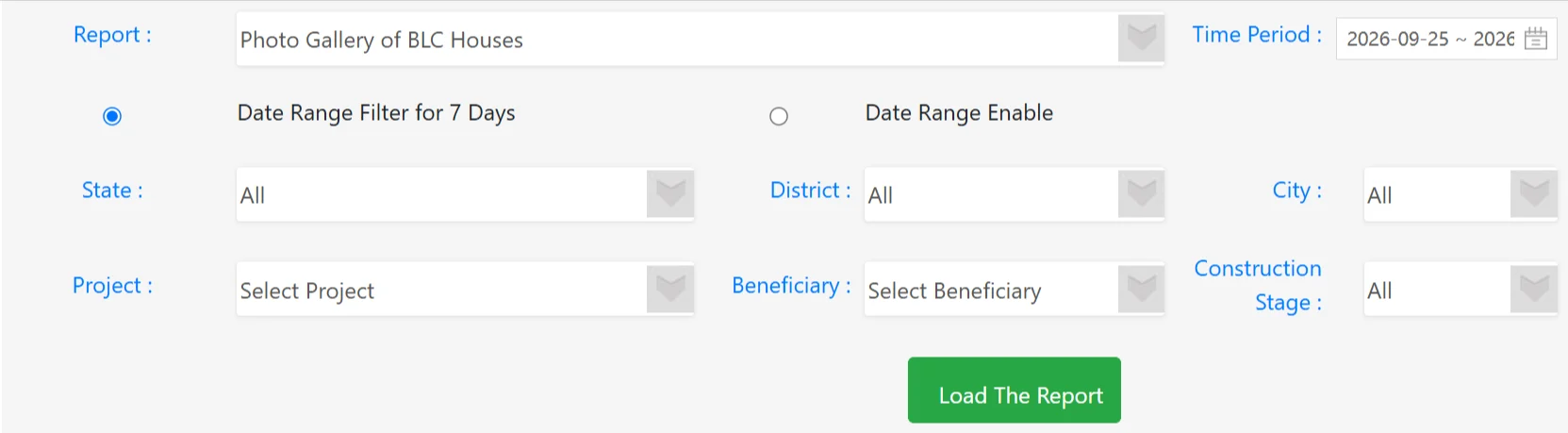
STEP 4: – Then your PMAY MIS report Urban list will be released.
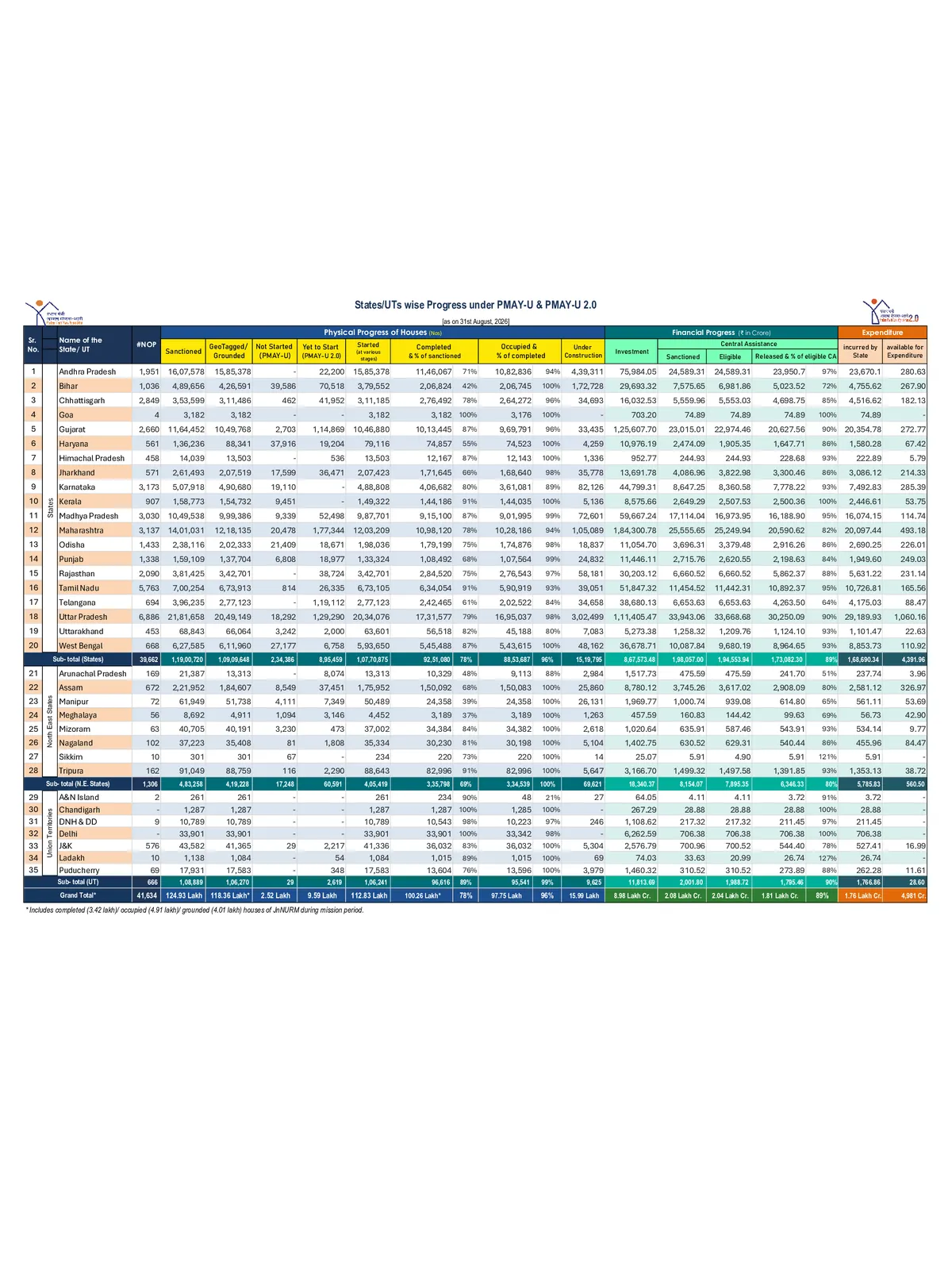
PMAY (Urban) Glimpses of Progess
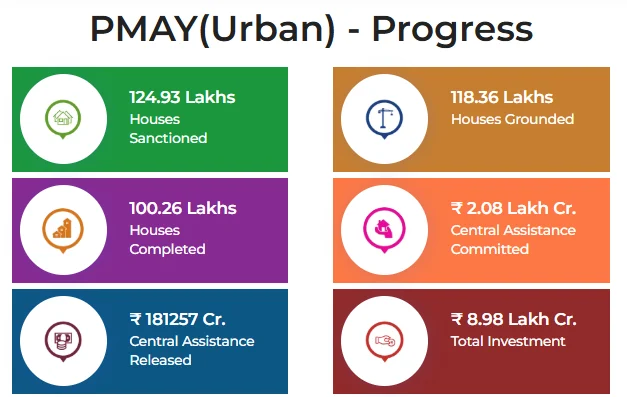
PMAY(U) – Glimpses of Progress
How to Check PM Awas Yojana MIS Report Gramin 2026 from Official Portal
STEP 1:- Visit the official PMAY- G website pmayg.dord.gov.in
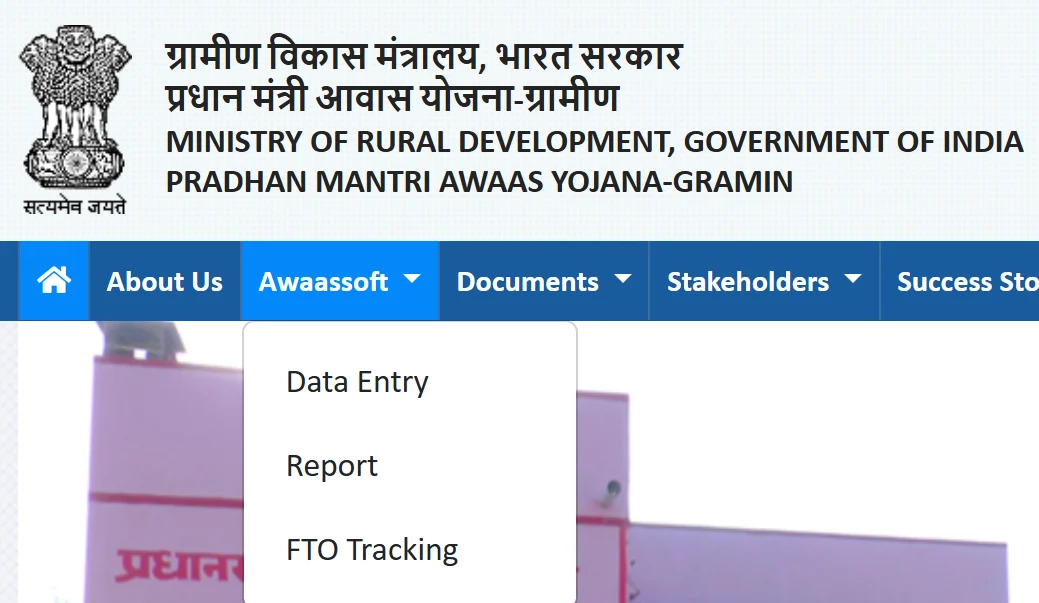
STEP 2:- Click on “Report” under section Awaassoft on the Home of the website as the image is shown below.
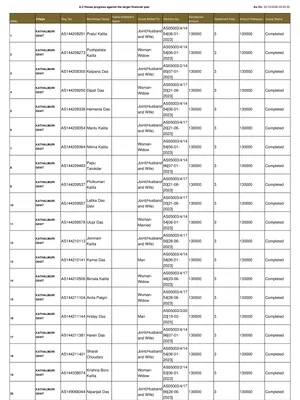
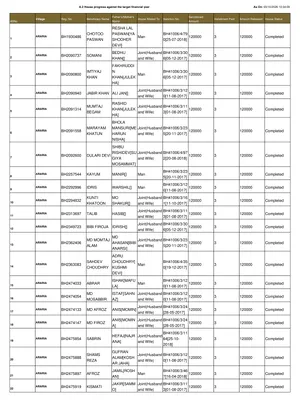
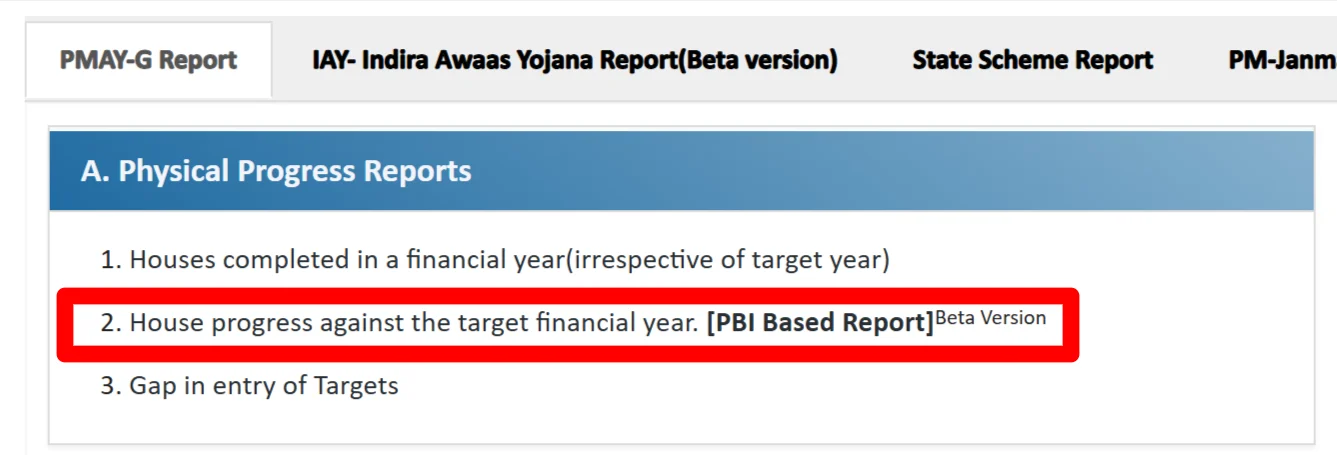
STEP 3:- After clicking on that link a new window is open in which you have to click on “House progress against the target financial year” as shown in below image
STEP 4:- After that, State wise house completed under PMAY G list will be appeared as shown in below image.
| State Name | MoRD Target | Sanctions Out of GEO Tagged | Sanctions with verified Accounts * | 4th | Completed & verified | Completed |
|---|
| Total | 40460920 | 39160139 | 38016253 | 10263139 | 31644750 | 31801730 |
| ARUNACHAL PRADESH | 35937 | 35591 | 35393 | 962 | 35591 | 35591 |
| ASSAM | 2962945 | 2907914 | 2810738 | 0 | 2365619 | 2379297 |
| BIHAR | 4920346 | 4909823 | 4824594 | 0 | 4282666 | 4288870 |
| CHHATTISGARH | 2513351 | 2453764 | 2379006 | 679946 | 2065080 | 2065675 |
| GOA | 257 | 254 | 247 | 0 | 243 | 243 |
| GUJARAT | 839116 | 829732 | 779340 | 160975 | 726880 | 732840 |
| HARYANA | 106460 | 76531 | 75142 | 0 | 29909 | 41289 |
| HIMACHAL PRADESH | 98209 | 97111 | 95844 | 5691 | 72990 | 73174 |
| JAMMU AND KASHMIR | 336498 | 334588 | 326561 | 51615 | 325400 | 327178 |
| JHARKHAND | 1938337 | 1937735 | 1902658 | 384548 | 1647197 | 1650676 |
| KERALA | 113404 | 87245 | 85638 | 0 | 45170 | 45172 |
| MADHYA PRADESH | 5607501 | 5422239 | 5272400 | 4033521 | 4408214 | 4439846 |
| MAHARASHTRA | 4370829 | 4136103 | 4015178 | 1599230 | 2251424 | 2262041 |
| MANIPUR | 108550 | 107584 | 104813 | 0 | 30825 | 56954 |
| MEGHALAYA | 188034 | 184295 | 178259 | 0 | 151771 | 160462 |
| MIZORAM | 29967 | 29959 | 29527 | 7996 | 18674 | 25443 |
| NAGALAND | 48830 | 48727 | 46559 | 0 | 38335 | 38386 |
| ODISHA | 2828739 | 2806506 | 2744968 | 1729698 | 2555291 | 2558061 |
| PUNJAB | 77208 | 76359 | 74651 | 0 | 55800 | 57164 |
| RAJASTHAN | 2493546 | 2431875 | 2407876 | 0 | 2091790 | 2102545 |
| SIKKIM | 1399 | 1397 | 1375 | 1385 | 1393 | 1393 |
| TAMIL NADU | 957825 | 732865 | 723567 | 642657 | 671032 | 675073 |
| TRIPURA | 376913 | 376173 | 372706 | 0 | 373234 | 373943 |
| UTTAR PRADESH | 3659011 | 3655760 | 3635510 | 0 | 3639526 | 3643152 |
| UTTARAKHAND | 69194 | 68528 | 68153 | 0 | 68223 | 68244 |
| WEST BENGAL | 4569423 | 4569031 | 4424212 | 796631 | 3420262 | 3420438 |
| ANDAMAN AND NICOBAR | 3424 | 2591 | 2476 | 0 | 1515 | 1515 |
| DADRA AND NAGAR HAVELI | 11206 | 10521 | 10472 | 4483 | 6988 | 6988 |
| DAMAN AND DIU | 158 | 158 | 136 | 0 | 87 | 87 |
| LAKSHADWEEP | 45 | 53 | 53 | 0 | 45 | 45 |
| PUDUCHERRY | 0 | 0 | 0 | 0 | 0 | 0 |
| ANDHRA PRADESH | 247114 | 246929 | 168186 | 56630 | 88813 | 91489 |
| KARNATAKA | 944140 | 579194 | 417261 | 106971 | 171847 | 175452 |
| TELANGANA | 0 | 0 | 0 | 0 | 0 | 0 |
| LADAKH | 3004 | 3004 | 2754 | 200 | 2916 | 3004 |
| Total | 40460920 | 39160139 | 38016253 | 10263139 | 31644750 | 31801730 |
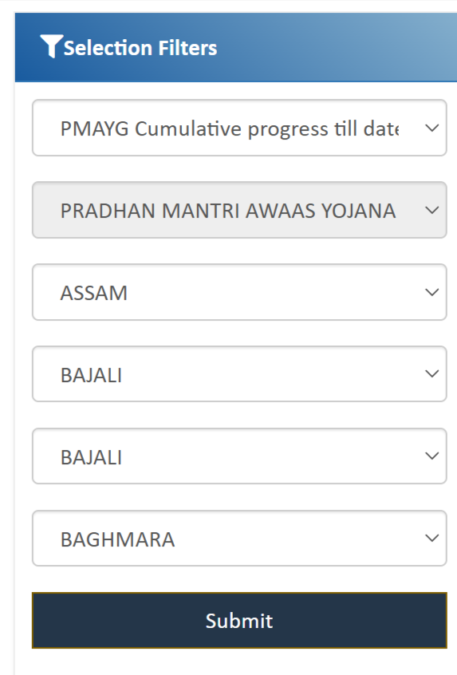
STEP 5:- If you want to show the list state wise then, select your State, District, Block, and Panchayat/Village from the respective options. Then, click on the “Submit” button, as shown below.
PMAY-G Category Wise SECC Data Summary Report (Waiting List)
Applicants can also trace their name through the category wise SECC data summary verification report.
For this purpose, people can check the SECC report for category wise SECC verification through this link.
Then the complete state wise SECC verification report will appear as shown below:

Then applicants can select the name of the state, district, block, gram panchayat, enter captcha and hit ‘Submit’ button to open the gram panchayat wise PMAY-G permanent wait list of beneficiaries as below:-

This PMAY-G waiting list of beneficiaries contains name of district, block, panchayat, registration number, beneficiary name, father name, mother name, category and priority.