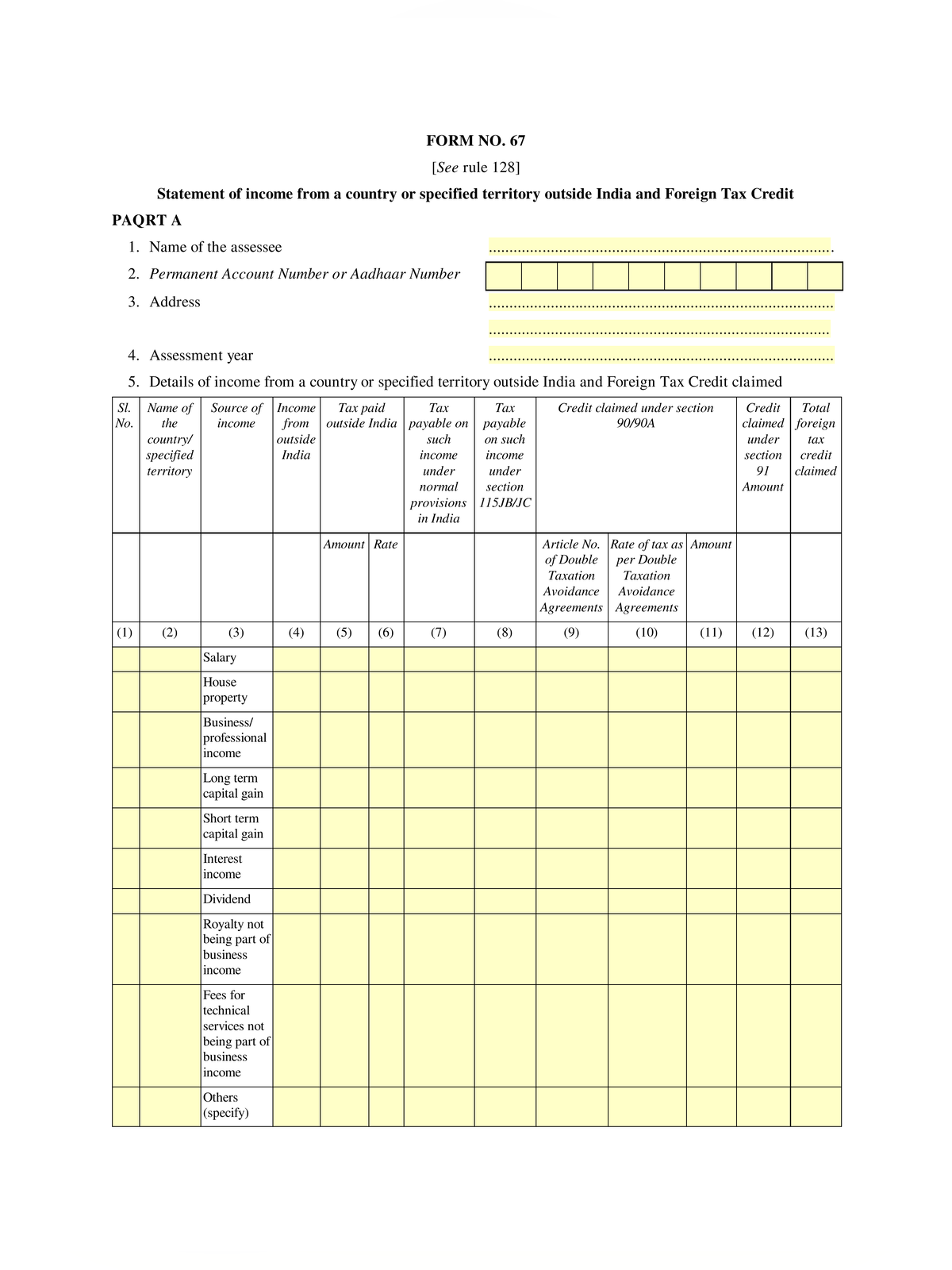
Form 67 Income Tax - Summary
Form 67 Income Tax PDF is the statutory statement issued by the Income Tax Department, Government of India for claiming Foreign Tax Credit under Rule 128 of the Income-tax Rules. Resident taxpayers who earn income in foreign countries and pay taxes abroad submit this form to claim relief from double taxation under Section 90, Section 90A, or Section 91.
The credit allowed is the lower of the tax paid in the foreign country or the Indian tax payable on that foreign income. Taxpayers must submit Form 67 electronically on the income tax portal incometax.gov.in before or along with their Income Tax Return, and ensure the figures match Schedule FSI and Schedule TR.
Documents required to claim Foreign Tax Credit
Taxpayers must upload these verification records while submitting Form 67:
- Statement of foreign income specifying nature of income and tax deducted or paid
- Certificate or statement from the foreign tax authority specifying the tax payment
- Acknowledgment or tax return copy filed with the overseas tax revenue department
- Proof of tax payment such as bank debit advice, receipt, or challan counterfoil
How to file Form 67 Online
Follow these steps on the official e-filing portal to complete your submission:
STEP 1 – Log in to your account on incometax.gov.in using your PAN and password.
STEP 2 – Go to e-File, select Income Tax Forms, and choose File Income Tax Forms.
STEP 3 – Select Form 67 and pick the relevant assessment year from the dropdown menu.
STEP 4 – Fill in Part A with country codes, foreign income heads, tax paid abroad, and applicable DTAA articles.
STEP 5 – Attach the foreign tax payment receipts and tax withholding certificates in PDF format.
STEP 6 – Preview the details and e-verify the form using Aadhaar OTP or Digital Signature Certificate.
Taxpayers reviewing other tax certificates can also check Form 130 Income Tax for salary TDS details and Form 121 Income Tax for zero TDS declarations.