Janganana Form 2027 - Summary
Janganana Form is the official household and population survey questionnaire issued by Office of the Registrar General and Census Commissioner, India (ORGI) under Ministry of Home Affairs for Census of India 2027. Known as the Census 2027 schedule, it is used for both online self-enumeration and door-to-door surveys conducted by government enumerators.
Janganana Form (जनगणना फॉर्म) 2027 overview
| Particular | Details |
|---|---|
| Issuing Authority | Office of the Registrar General and Census Commissioner, India (ORGI) |
| Ministry | Ministry of Home Affairs, Government of India |
| Census Cycle | Census of India 2027 (16th National Census) |
| Phase 1 (Houselisting and Housing Census) | April 2026 to September 2026 (33 questions) |
| Phase 2 (Population Enumeration) | February 2027 for most areas (40 questions; earlier in snow-bound and select states) |
| Reference Date | 1 March 2027 (00:00 hours) |
| Portal Languages | 16 Indian languages |
| Official Website | censusindia.gov.in |
Details covered in the form
ORGI notified the Phase 2 Population Enumeration questionnaire on 14 August 2026. Under Census Act, 1948 and Census Rules, 1990, personal data collected in the form stays confidential and is used only for statistical records.
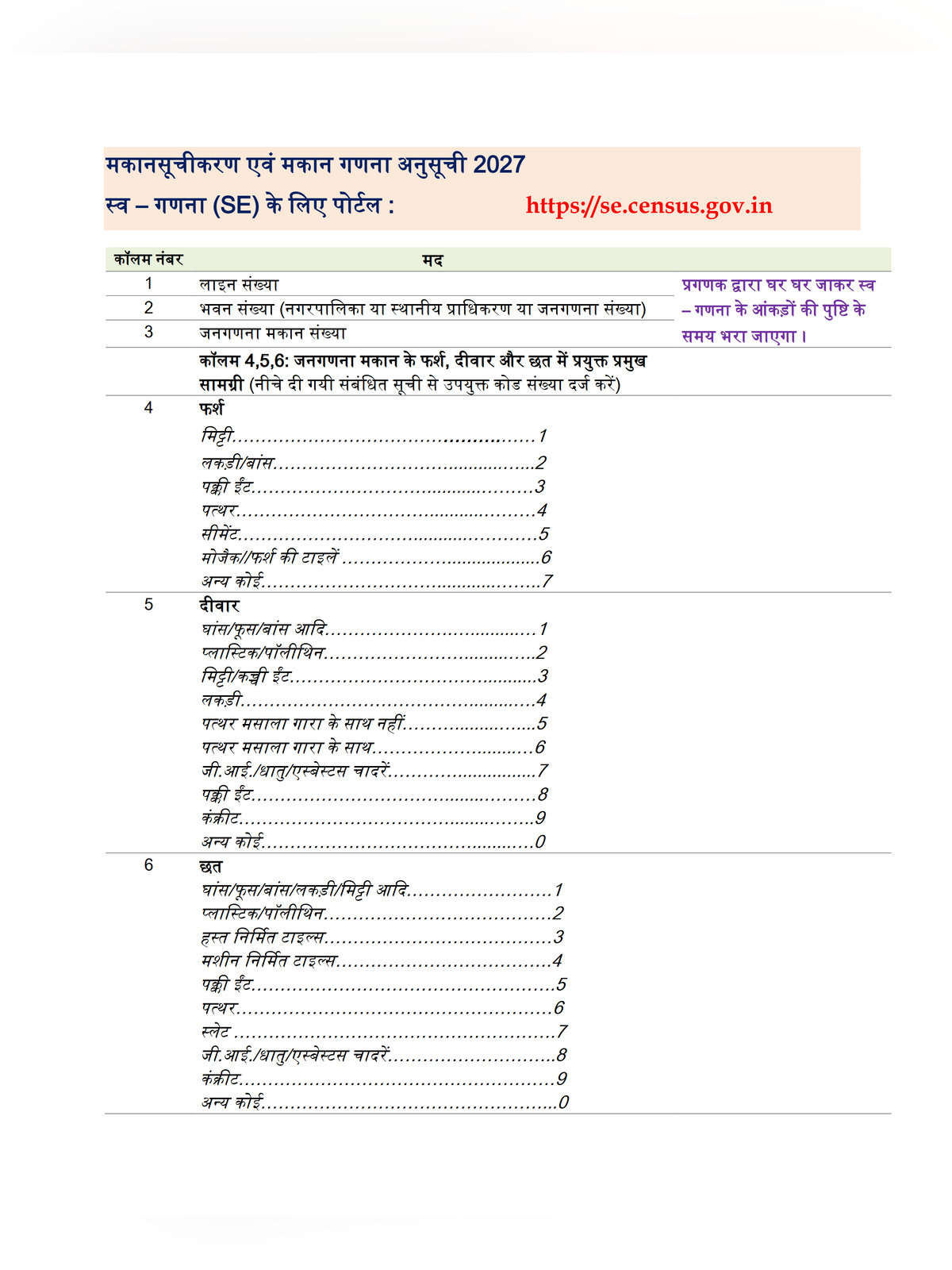
- Housing condition, building material, drinking water source, sanitation, cooking fuel, and household assets in Phase 1
- Name, age, sex, marital status, mother tongue, literacy, education, occupation, and migration history in Phase 2
- Religion, Scheduled Caste or Scheduled Tribe status, and caste details for every household member
How to fill Janganana Form online
Households can submit their details online during the 15-day self-enumeration window notified before field visits in their state or union territory.
STEP 1 – Open se.census.gov.in and select your preferred language.
STEP 2 – Log in with your mobile number and verify it using the one-time password.
STEP 3 – Enter your address details and answer all housing or individual questions for every family member.
STEP 4 – Submit the form and save the Self-Enumeration ID (SE ID) shown on screen to share with the visiting enumerator.
For the initial schedule notice and general survey forms, check Census Notification 2025 and Enumeration Form.