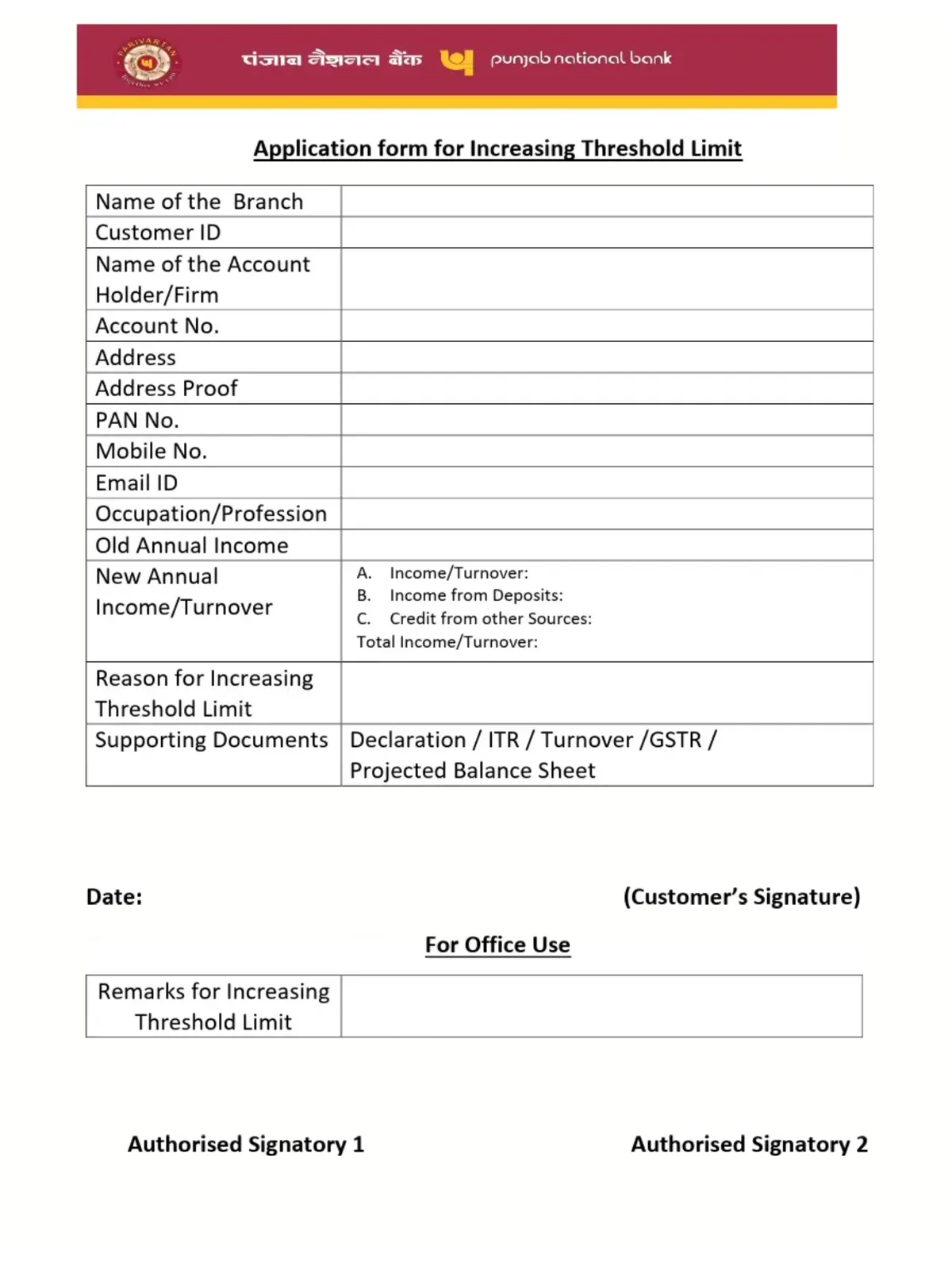
PNB Threshold Limit Increase Form - Summary
PNB Threshold Limit Increase Form is an official application used by Punjab National Bank (PNB) customers to enhance their account’s annual transaction or turnover ceiling. In compliance with Reserve Bank of India (RBI) Anti-Money Laundering (AML) and Know Your Customer (KYC) guidelines, banks assign an annual transaction threshold limit to every savings and current account based on the customer’s declared income profile.
When your credits or debits exceed this pre-set limit, the bank’s core banking system (CBS) may restrict incoming transfers, decline high-value transactions, or put the account on hold until updated financial proof is submitted.
By submitting the PNB Threshold Limit Increase Form along with supporting income and KYC documents, account holders can effortlessly revise their transaction ceiling, unfreeze held transactions, and continue seamless banking operations.
PNB Threshold Limit Increase Form – Highlights
| Particulars | Details |
| Bank Name | Punjab National Bank (PNB) |
| Form Title | Customer Profile Updation / Threshold Limit Enhancement Form |
| Form Category | Banking & Account Maintenance / KYC |
| Beneficiaries | PNB Savings & Current Account Holders |
| Purpose | Enhancing annual credit/debit turnover limit & unfreezing transactions |
| Application Mode | Offline at PNB Home Branch |
| Processing Fee | Free of Cost (₹0) |
| Turnaround Time | 1 to 3 Working Days post document verification |
| Official Website | pnbindia.in |
| Customer Care Helpline | 1800 1800 / 1800 2021 / 1800 180 2222 (Toll-Free) |
When Do You Need to Increase Your PNB Threshold Limit?
You may need to request an increase in your PNB threshold limit under several common circumstances:
- High-Value Inward Remittance: Receiving a large sum from property sale, land compensation, provident fund / gratuity settlement, maturity proceeds of investments, or family inheritance.
- Increased Business Turnover: Sole proprietors or firms experiencing rapid sales growth whose credits exceed previously reported annual turnover figures.
- Salary Hike or Job Switch: Substantial jump in annual remuneration requiring higher banking limits.
- Upgrading Jan Dhan / Basic Accounts: Converting a Pradhan Mantri Jan Dhan Yojana (PMJDY) or Small Savings Account (capped at ₹50,000 maximum balance and ₹1 Lakh annual credit) into a full-fledged regular savings account.
- Account Restricted / Frozen: Receiving a notification or SMS from PNB stating: “Account transactions restricted due to threshold limit breach. Contact home branch with KYC/Income proof.”
Documents Required for PNB Threshold Limit Increase
To substantiate your request for limit enhancement, submit self-attested photocopies of the following documents along with the original copies for branch verification:
1. Mandatory Identity & Address Proofs
- PAN Card: Mandatory for all threshold limit revisions and high-value banking transactions.
- Aadhaar Card: For Aadhaar biometric or OTP-based identity and address re-verification.
- Recent Passport-sized Photograph: One color photograph pasted on the form.
2. Income & Source of Funds Proof (Any One or More)
- For Salaried Individuals: Latest 3 months’ salary slips, Form 16 issued by employer, and latest Income Tax Return (ITR-V) acknowledgement.
- For Self-Employed / Business Persons: Last 2 financial years’ ITR copies along with computation of income, GST Registration Certificate & latest GSTR-3B filings, or audited Balance Sheet and Profit & Loss statements.
- For Property / Asset Sale: Registered Sale Deed or agreement along with bank account credit trail proving source of legitimate funds.
- For Investment / Insurance Maturity: Redemption voucher, maturity statement, or policy surrender certificate.
- For Gifts / Inheritance: Registered Gift Deed, will, or legal heir certificate.
How to Fill PNB Threshold Limit Increase Form (Step-by-Step)
Follow the simple instructions below to accurately complete the threshold limit enhancement request form:
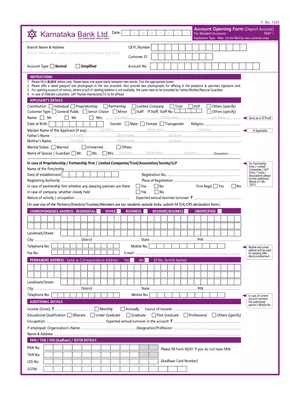
- Branch & Date Details: Write your PNB Home Branch Name, Branch Code, and the current date at the top of the form.
- Account Information: Mention your 16-digit PNB Account Number and 9-digit Customer ID (CIF Number) printed on your passbook or cheque book.
- Customer Personal Details: Enter the primary account holder’s full name (in block letters), registered mobile number, email ID, and PAN number.
- Specify Existing vs. Proposed Limit:
- Existing Declared Turnover / Threshold Limit: Enter your current limit (e.g., ₹5,00,000).
- Proposed Annual Threshold Limit: Enter the revised limit required (e.g., ₹25,00,000 or ₹50,00,000 depending on your financial standing).
- State Reason & Source of Funds: Write a brief reason for the requested increase (e.g., “Enhanced business sales turnover”, “Salary hike”, or “Credit received from sale of agricultural land”).
- Tick Enclosed Documents: Check the boxes corresponding to the documents attached (ITR, Form 16, Salary Slip, Sale Deed, etc.).
- Sign the Form: Affix your signature in the space provided. If it is a joint account operating under ‘Jointly’ mandate, all joint account holders must sign. The signature must match the bank’s records.
- Submit at Branch: Hand over the completed form along with self-attested photocopies to the Branch Manager or Customer Service Desk. Request an acknowledged copy or receipt.
How to Increase Daily E-Banking Transaction Limits in PNB ONE App
If you want to increase your daily fund transfer limits for UPI, NEFT, RTGS, or IMPS via mobile/net banking (rather than the CBS annual profile threshold), you can adjust it digitally without visiting the branch:
- Open the PNB ONE Mobile Banking App and log in using your MPIN or biometrics.
- Go to Services > Set Limits / Transaction Limits.
- Select the service category (e.g., Within PNB Transfer, NEFT/RTGS, IMPS, or UPI).
- Adjust the slider or enter your desired daily and per-transaction limits (up to the maximum allowable bank ceiling).
- Authenticate using your Transaction Password (TPIN) and OTP received on your registered mobile number to confirm the changes immediately.
Download PNB Threshold Limit Increase Form PDF: Customers can download the official Punjab National Bank Threshold Limit Revision and Customer Profile Updation Form in PDF format using the direct download link given below.