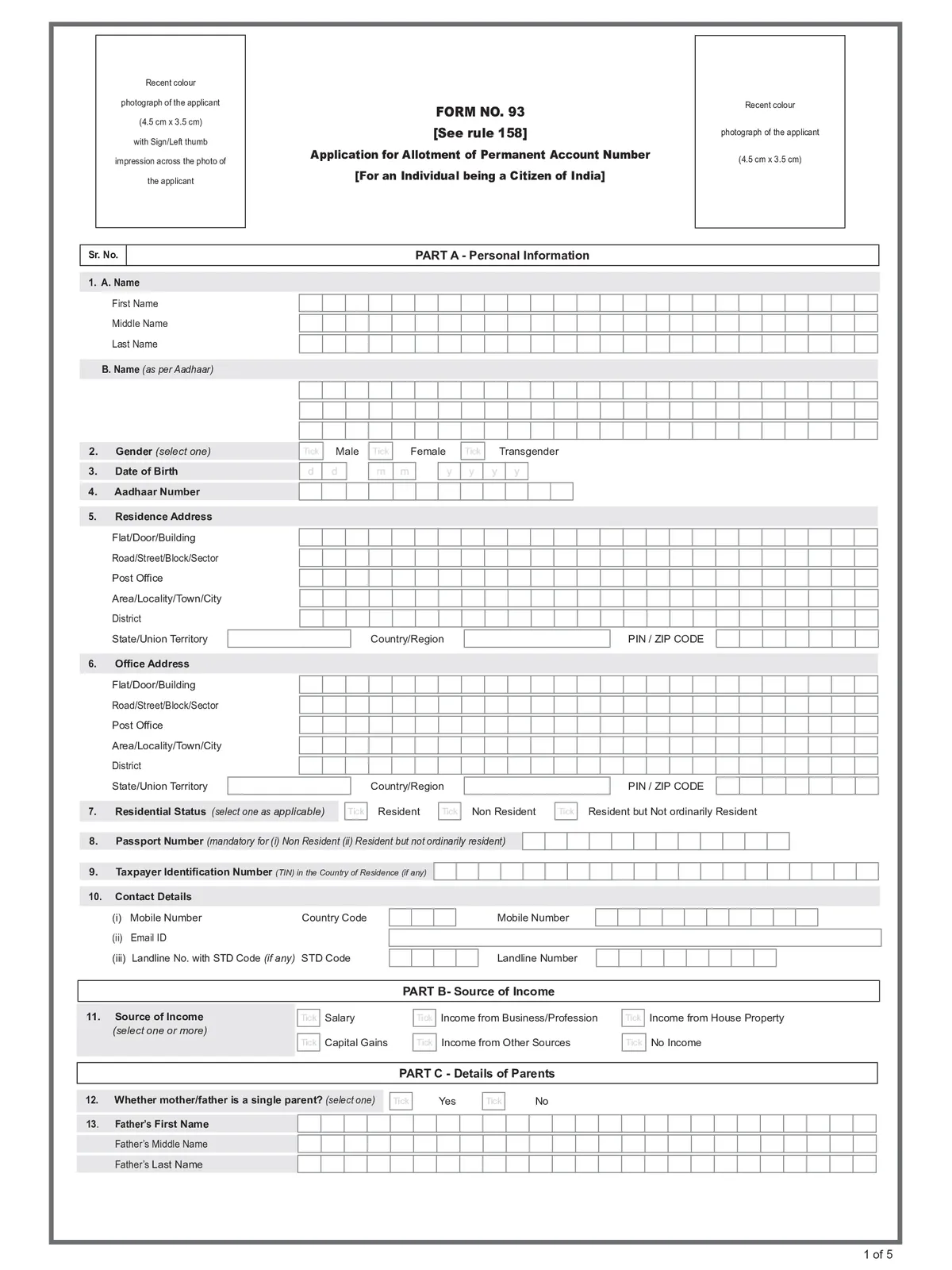
Pan Card Form 93 - Summary
Income Tax Department introduced the new PAN Form 93 & this form is used for obtaining a Permanent Account Number (PAN) by an individual who is a citizen of India. It has been introduced under the Income-tax Act, 2025 and Income-tax Rules, 2026. Form 93 has been introduced under the Income-tax Act, 2025 and Income-tax Rules, 2026 and is applicable from 1 April 2026. It replaces the earlier Form 49A for new PAN applications by individual Indian citizens.
Pan Form 93 – Overview
| Particular | Details |
|---|---|
| Form Name | PAN Form 93 |
| Purpose | Application for obtaining a Permanent Account Number (PAN) |
| Applicable To | Individual citizens of India |
| Introduced Under | Income-tax Act, 2025 and Income-tax Rules, 2026 |
| Applicable From | 1 April 2026 |
| Earlier Form | Form 49A |
| Application Type | New PAN application |
| Main Details Required | Personal, identity, address and other prescribed details |
| Issuing Authority | Income Tax Department |
| PAN Purpose | Used as a unique identification number for income-tax and related financial transactions |
Form 93 vs Old Form 49A
| Purpose | Earlier Form | New Form |
|---|---|---|
| Indian Individual | Form 49A | Form 93 |
| Indian Non-Individual Entity | Form 49A | Form 94 |
| Foreign Individual | Form 49AA | Form 95 |
| Foreign Entity | Form 49AA | Form 96 |
Who Can Apply Through Form 93?
Form 93 can be used by:
- Indian citizens applying for a new PAN
- Indian citizens residing in India
- Indian citizens residing outside India, where applicable
- Individuals who require a PAN under the applicable income-tax provisions
Documents Required for Form 93
Applicants need to provide prescribed documents for proof of identity, proof of address and date of birth, as applicable.
- Aadhaar Card
- Indian Passport
- Driving Licence
- Voter ID
- Ration Card with photograph
- Government-issued photo identity documents
- Pensioner Card
- Other documents prescribed under the applicable rules
Pan Card Through Aadhaar Card Online Apply
- Visit the Income Tax e-Filing portal.
- Select Instant e-PAN.
- Click Get New e-PAN.
- Enter your 12-digit Aadhaar number.
- Confirm the declaration and submit the request.
- An OTP will be sent to the mobile number linked with Aadhaar.
- Enter and verify the OTP.
- Your Aadhaar details will be validated electronically.
- After successful verification, the e-PAN will be generated.
- You can download the e-PAN PDF from the e-Filing portal
PAN Card Helpline Number
1800 103 0025
1800 419 0025
Pan Card Form 93 PDF Download
RELATED PDF FILES-
 New Pan Card Form 2026
-
 PAN Card Correction Form – Update or Correct PAN Details Easily Online
-
 Pan Card Annexure A Form
-
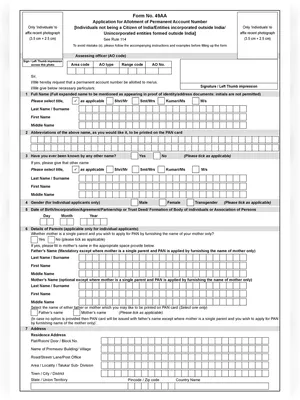 New Pan Card Form 49AA
-
 Rajasthan New Ration Card Form
-
 VB-GRAM-G (NREGA) Job Card List 2026-2027 PDF Download & Check Name Hindi / English
-
 Odisha Ration Card Application Form Odia
-
 Madhya Pradesh Ration Card Application Form Hindi