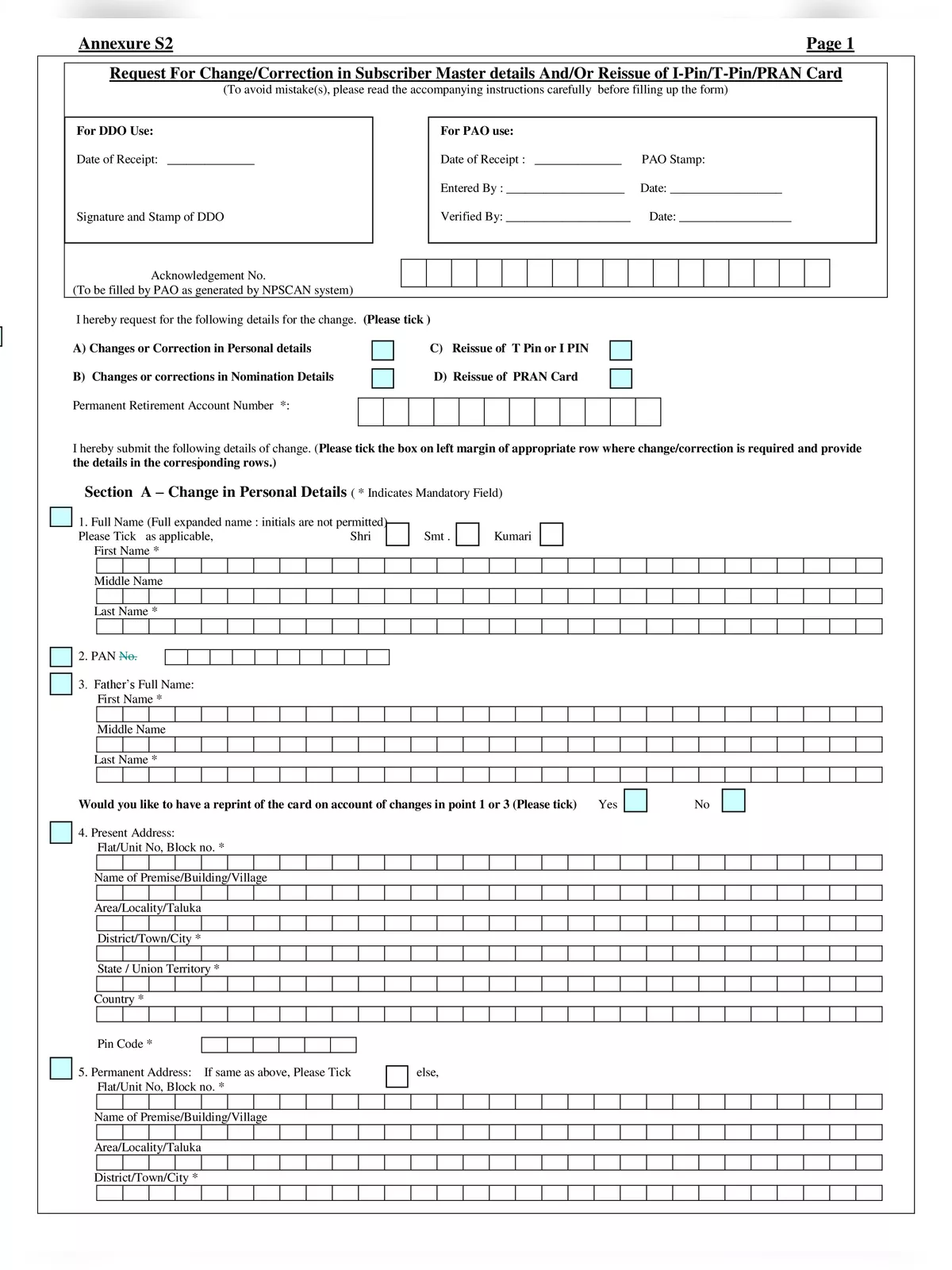
NPS S2 Subscriber Details Change Form - Summary
NPS S2 Form is used by National Pension System (NPS) subscribers who want to update or correct their personal information in the NPS account. This may include changes in name, address, contact number, email ID, or bank details. The form helps keep the subscriber’s records accurate and up to date, ensuring smooth communication and transactions in their pension account.
This form is available both online and offline through the Central Recordkeeping Agency (CRA) or the Point of Presence (POP) where the NPS account was opened. Subscribers must fill in the correct details, attach supporting documents, and submit the form for verification. Updating the information through this form helps avoid issues during pension withdrawals or future correspondence.
How to Fill the NPS S2 Subscriber Details Change Form
Follow these simple steps to correctly fill out the NPS S2 Subscriber Details Change Form:
- This form is specifically for making changes or corrections to your personal details, nominee details, or for reissuing your I-Pin, T-Pin, or PRAN card.
- Once completed, submit the filled form at the Nodal office to carry out the necessary changes.
- Tick the box on the left margin of the row where changes are needed, and fill in the corresponding details. Remember to cross out any blank rows.
- Please fill out the form legibly using BLOCK LETTERS and only in BLACK INK.
- Mandatory fields are marked with (*), so ensure you fill those out.
- Don’t forget to provide your accurate 12-digit PRAN number.
- Use the “DDMMYYYY” format for all dates to avoid confusion.
- If your permanent and present addresses are different, all future communications will go to your present address.
- For nomination, you can name up to three nominees.
- Be sure not to repeat nominee details; each nominee must be unique.
- The percentage share for each nominee must be a whole number, adding up to 100. If the total is not equal to 100, your nomination will be rejected.
- Keep in mind that there will be a fee for the reissue of T-Pin, I-Pin, and PRAN card by the CRA.
Get Your NPS S2 Subscriber Details Change Form
Download the NPS S2 Subscriber Details Change Form in PDF format using the link given below, and ensure you complete your application correctly! 📄